
How many photos you need to train an AI model of a person
Our trainer refuses fewer than 30 photos and stops at 40. A reference persona needs just one face photo.
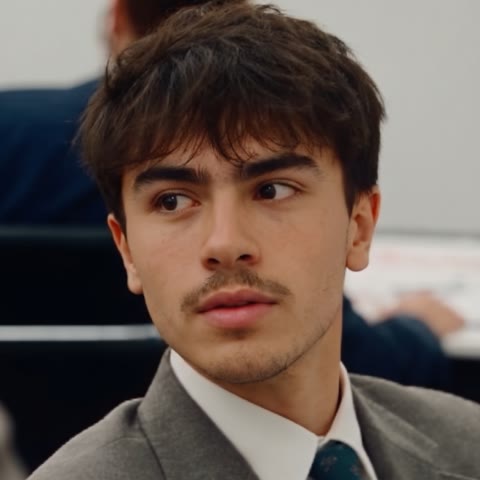
It depends on the method. A reference persona on PixelPig needs one clear, front-facing face photo, with two full-body shots as optional extras. Training a LoRA needs 30 to 40 photos of the same person. The trainer rejects a set below 30 and caps it at 40, and the studio tells you that variety in angles, outfits, light and backgrounds gives sharper, more consistent results.
Create your AI modelThe number depends on which kind of AI model you are building. On PixelPig, a reference persona needs one clear face photo looking straight at the camera, and a trained LoRA needs 30 to 40 photos of the same person. If you are still at the stage of picking who your model is, start with the full walkthrough on how to create an AI influencer, and once the photos are trained, the guide on making AI photos look real covers the prompting side.
Most advice on this question quotes numbers from someone's personal experiment. This page does something narrower: it reports the limits our own trainer enforces, quoted from the code and the training screen, and explains what the trainer does with each photo so the limits make sense.
Proof
These are the rules PixelPig applies when you upload a training set, taken from the training screen and the edge function that starts the run. Nothing here comes from a test we ran for this page.
| Rule | What PixelPig does | Where it shows |
|---|---|---|
| Minimum photos | 30. The Start button stays disabled below 30, and the server returns "Upload between 30 and 40 images" for anything else | Training screen counter ("X of 30 minimum added") and the server check |
| Maximum photos | 40. Extra files in a selection are dropped with a "Maximum of 40 photos" notice | Training screen |
| File size | 10MB per photo. Larger files are skipped with a warning | Training screen ("Max 10MB per photo") |
| Same person | "The same person in every photo" is the first tip on the screen | Training screen tips |
| Variety | "Different outfits, angles, lighting and backgrounds" | Training screen tips |
| Captions | A vision model writes a text caption for every photo before training starts | Training job config |
| Training sizes | Photos train at 512, 768 and 1024 pixel sizes | Training job config |
| No mirroring | The trainer does not flip photos left to right | Training job config |
| Steps | A fixed 3,000 training steps, one photo per step | Training job config |
| Plan | Pro and Scale only | Training screen and server check |
The code comment next to the minimum explains the floor directly: a hard floor of 30 "keeps a too-thin set from producing a weak LoRA." The code gives no reason for the ceiling of 40. It is the cap, and we will not invent a reason.
The step count explains why variety beats volume. With 3,000 steps and one photo per step, a 30-photo set shows each photo to the model about 100 times, and a 40-photo set about 75 times. Ten near-identical selfies in a set of 30 means a third of all training time goes to one pose. The model learns that pose as part of the face.
Two routes, two photo counts
PixelPig gives you two ways to build a model, and they need very different uploads.
Reference persona: one required photo
Go to Personas, then Create Persona, then "Use my own photos". The upload screen has three slots. The face photo is the only required one. The two full-body slots are optional, and the screen says adding them "improves face-swap variety and LoRA training quality." The image and video models that accept a persona then use its photos as identity references, so nothing is trained. The AI persona page shows this flow, and Academy chapter 3 explains why the face photo should be a chest-up shot looking straight at the camera.
The tips on that screen are specific. For the face slot: clear face, neutral expression, facing forward, head and chest in frame. Not: eyes closed, sunglasses, or a sharp high or low angle. For the full-body slots: clear face, arms and hands in frame, standing rather than sitting or lying down.
Trained LoRA: 30 to 40 photos
A LoRA is a small add-on file trained on your photos so the image model learns one specific person. On PixelPig you pick the persona, upload 30 to 40 photos, and the studio uploads them, captions each one and trains the LoRA for you. Academy chapter 4 covers when a creator needs this step. Training is an extra step, not the starting point: a reference persona already works on six image models and seven video models.
How to build a 30 to 40 photo set
Start from one person and one look
Every photo shows the same person. If your persona has a tattoo or a beauty spot, it sits on the same side in every photo. Because the trainer never mirrors photos, a mirror selfie that flips a tattoo to the other arm teaches the model two versions of the body.
Spread the set across framing
The extended tips ask for the face clearly visible in most photos and a mix of close-ups and full-body shots. A workable split for a set of 30 is roughly half head-and-shoulders shots, a third waist-up, and the rest full body. That split is our suggestion, not a rule the trainer checks.
Change everything except the person
Different rooms, streets, outfits, times of day and light sources. Window light, overcast daylight, warm indoor lamps, an on-camera flash. If every photo has the same white wall behind her, the wall becomes part of what the LoRA learns.
Use originals at full size
Upload the original files, not screenshots or social media downloads that have been compressed twice. The 10MB cap per photo leaves room for full-resolution phone photos.
Check the count before you start
The counter under the tips reads "X of 30 minimum added". Remove weak photos first, then fill back up to 30 or more with stronger ones, rather than padding with near-duplicates to reach the floor.
What to keep and what to drop
| Photo type | Keep or drop | Why |
|---|---|---|
| Clear face, eyes open, facing camera | Keep | The studio asks for the face clearly visible in most photos |
| Full-body shot with arms and hands in frame | Keep | Teaches body proportions and hands |
| Same outfit, new background | Keep, a few | Separates the person from the setting |
| Group photo or someone else in frame | Drop | The tips rule out other people |
| Sunglasses | Drop | Hides the eyes the model needs to learn |
| Heavy filter or beauty mode | Drop | The filter's skin becomes the model's skin |
| Blurry or dark shot | Drop | Blur gets learned along with the face |
| Mirror selfie with a flipped tattoo | Drop or fix | The trainer does not mirror photos, so the tattoo appears on both sides |
| Ten shots from one burst | Keep one | Near-duplicates spend training steps on a single pose |
Common mistakes
Padding to the minimum with duplicates. The counter only checks the number. The quality of the LoRA depends on what those 30 photos contain.
Mixing two people. A set that includes a sister, a friend or an earlier version of the persona blends faces.
Leaving filters on. Beauty filters smooth pores and reshape features. The LoRA then reproduces the filter in every image, which works against the realism you want.
Training before the face is settled. If you are still changing the face, finish the persona first. Designing the face is the chapter for that decision, and our list of AI influencer niche ideas helps you settle who the model is before you spend a training run on her.
Uploading photos of a real person without permission. See the next section.
Consent before the upload
PixelPig's Acceptable Use Policy requires informed consent from every real person in the photos you upload, including you, and the consent has to cover the actual use. Permission to appear in a holiday photo is not permission to become a persona. You must be able to show that consent if asked, and if the person withdraws it, you delete the persona. Fully synthetic personas not based on any real person are permitted.
Bottom line
For a reference persona, one sharp, front-facing face photo is enough, and two full-body photos make it better. For a trained LoRA on PixelPig, the answer is 30 to 40 photos of one person, because the trainer refuses anything else. Inside that range, spend your effort on variety: framing, outfits, light and backgrounds, with no filters, no sunglasses and no flipped tattoos. LoRA training sits on the Pro and Scale plans, listed on the pricing page.
Questions
- How many photos do I need to train a LoRA of a person?
- On PixelPig, 30 to 40. The training screen will not start with fewer than 30, and the server rejects any set outside that range.
- Can I make an AI model from one photo?
- Yes, as a reference persona. One clear, front-facing face photo is the only required upload. Two full-body photos are optional and add variety for face swaps and later training.
- Do more training photos always give a better result?
- No. PixelPig caps the set at 40 and runs a fixed number of training steps. Variety inside the set matters more than count, which is why the studio asks for different outfits, angles, light and backgrounds.
- What photos should I leave out of a training set?
- Photos with other people in them, sunglasses, heavy filters, blur, closed eyes, or a mirrored tattoo. Each one teaches the model something you do not want in every output.
- Can I use photos of someone else to train an AI model?
- Only with that person's informed consent for this exact use, and you must be able to show it if asked. PixelPig's Acceptable Use Policy requires it for every real person, yourself included.
- How big should each training photo be?
- Each photo can be up to 10MB. The trainer works at 512, 768 and 1024 pixel sizes, so use sharp, full-resolution originals rather than screenshots or small crops.
- Which plan includes LoRA training?
- LoRA training is on the Pro and Scale plans. The training screen shows the token cost before you start, and the pricing page lists what each plan includes.